

IEvery photo you upload to Instagram passes through a crop check. Upload the wrong size and Instagram quietly trims your subject, adds black bars, or compresses detail — none of which is ideal when you are trying to build a polished profile. This guide explains exactly how to crop photos for Instagram in 2026, covering every placement type and the one grid change that caught thousands of creators off-guard in 2025.
Instagram supports a specific set of aspect ratios. Any image that falls outside those ratios gets auto-cropped to fit. Understanding the supported ratios before you upload — not after — is how you keep every pixel you intended to show.
The three supported ratios for feed posts are:
•1:1 (square) — 1080 × 1080 px
•4:5 (portrait) — 1080 × 1350 px ← recommended for maximum feed space
•1.91:1 (landscape) — 1080 × 566 px
|
�� Important 2025 Grid Update Instagram changed its profile grid from a 1:1 square display to a 4:5 (portrait) display in 2025. If your guide still recommends the square as the 'default', it is now outdated. The 4:5 portrait ratio is the best all-round choice for new posts. |
You can crop directly inside the Instagram app or use a third-party tool for more control. Here is both methods:
1.Open Instagram and tap the + icon to start a new post.
2.Select your photo from the gallery.
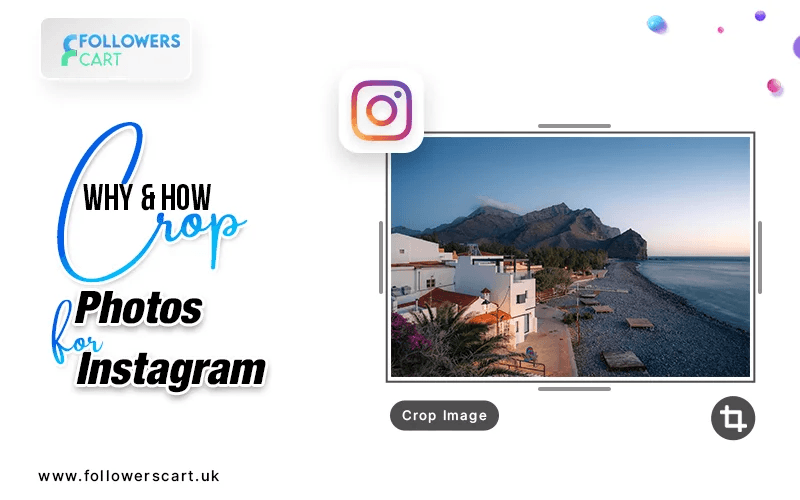
3.Tap the expand/crop icon in the bottom-left corner of the image preview.
4.Choose your preferred ratio: square (1:1), portrait (4:5), or landscape (1.91:1).
5.Pinch to zoom and drag to reframe your subject within the crop box.
6.Tap Next and continue to the caption screen.
Pre-cropping with a dedicated editor gives you more control and avoids Instagram's automatic compression. Tools such as Adobe Lightroom, Snapseed, or any editor with custom canvas sizes let you set the exact pixel dimensions before upload.
|
Post Type |
Dimensions (px) |
Aspect Ratio |
Notes |
|
Feed — Square |
1080 × 1080 |
1:1 |
Classic option |
|
Feed — Portrait |
1080 × 1350 |
4:5 |
★ Recommended (2025 grid default) |
|
Feed — Landscape |
1080 × 566 |
1.91:1 |
Good for panoramas |
|
Stories & Reels |
1080 × 1920 |
9:16 |
Full-screen vertical |
|
Carousel (all slides) |
1080 × 1350 |
4:5 |
Match all slides to 1st slide ratio |
|
Profile Photo |
320 × 320 |
1:1 |
Displayed as circle; centre subject |
• Export at exactly 1080 px wide — anything wider will be downscaled by Instagram, adding compression artefacts.
• Save as JPG at 85–90% quality. This balances file size with sharpness and reduces Instagram's own re-compression.
• Avoid cropping faces to the very edge — Instagram's circular grid thumbnail and story tray crop can cut off ears and foreheads.
• For carousels, set all slides to the same ratio before uploading. Instagram uses the first slide's ratio and auto-crops every subsequent slide to match.
• Centre your key subject — Instagram's profile grid and Reels thumbnail both apply an additional 3:4 crop, so anything near the outer edges risks being hidden.
Getting your photo sizes right is only one piece of the puzzle. Once your visuals are sharp and properly cropped, growing your reach becomes the next priority. FollowersCart UK offers a range of services to help you build social proof fast:
• Buy Instagram Followers UK — grow your audience with real UK-based followers.
• Instagram Auto Views — boost Reel and video visibility from the moment you post.
• Instagram Likes — strengthen engagement signals and improve feed reach.
A: The 4:5 portrait ratio (1080 × 1350 px) is the best all-round choice. Since Instagram updated its profile grid to 4:5 in 2025, portrait images fill more screen space in the feed and display without cropping on the grid.
A: Yes. Pre-crop to 1080 px wide before uploading, save as JPG at 85–90% quality, and avoid re-editing inside the Instagram app after upload. This minimises Instagram's re-compression.
A: Instagram does not allow you to change the crop after a photo is posted. You can edit the caption and alt text, but the image dimensions are locked. Delete and re-upload the photo with the correct crop if needed.
A: Stories should be 1080 × 1920 px (9:16 aspect ratio). Keep important content away from the top 14% and bottom 20% of the frame, as Instagram overlays UI elements in those areas.
Emma Brown
Social Media Growth Strategist
Emma Brown is a social media growth strategist specializing in Instagram marketing for UK creators and small businesses. With 5+ years of experience, she focuses on organic growth, engagement, and audience building. She shares practical insights on Instagram algorithms and content strategy to boost visibility and conversions. She holds a degree in Digital Marketing from the University of Manchester.
Loading related articles...
Related Articles