Quick answer: Most Instagram Reels and Stories problems in 2026 are caused by a corrupted app cache, Instagram's hidden Data Saver setting, an outdated app version, or a brief server outage. Start with Fix 1 (clear cache) and Fix 5 (Data Saver) — those resolve over 70% of cases in under three minutes.
Instagram Reels and Stories are two of the most-used features on the platform — but when they stop working, it disrupts your content schedule and audience connection. In 2026, most fixes take under five minutes. This guide walks through every common cause and gives you clear, step-by-step solutions for both iPhone and Android.
Here, in this blog, we will help you in understanding the following areas.
- What are Instagram Reels and Stories?
- Common Reasons Why Instagram Reels or Stories May Not Be Working in 2024
- Step-by-Step Guide to Fix Issues with Instagram Reel and Stories
What are Instagram Reels and Stories?
Millions of people use Instagram daily and reels are the favorite feature of Instagram for most of the users. After the ban on TikTok in several countries Instagram released reels. These are short videos just like on TikTok. You can record up to 90 seconds in the current version of the Instagram app (as of 2026).
You can select the music of your choice from the list that is available on Instagram. Besides that, there are colorful stickers and alluring filters. You can edit your reel with them to keep your audience engaged. Are you excited to use this amazing feature of Instagram? If not, we would encourage you to explore this feature.
Note: there are times when you face certain problems. For example, Instagram reels not working or there is an issue with adding music to the reel. If you face such an issue, don’t worry. We are here to give you solutions.
You can upload Instagram stories in the form of photos and videos. You can add Instagram stories for up to 15 seconds. Just like reels, you can also find amazing features on Instagram stories including stickers, emojis, and filters or you can even add music also. Let your audience know your team through Instagram stories.
Common Reasons Instagram Reels or Stories Are Not Working in 2026
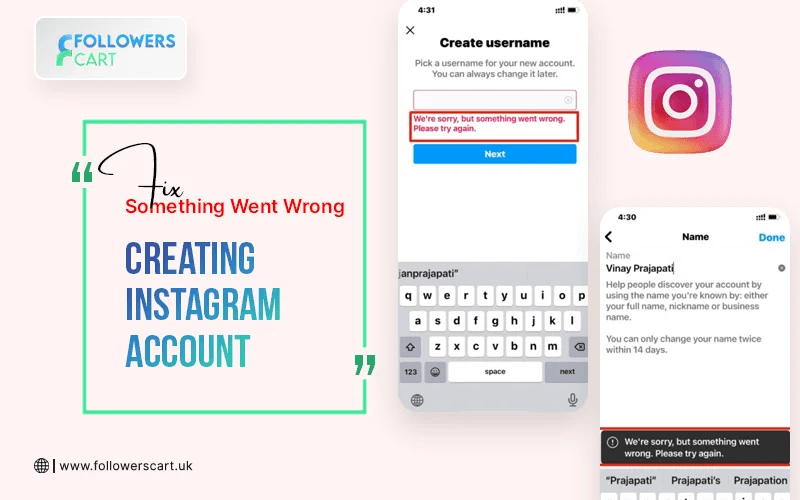
At times you see a ‘loading circle’ on your mobile screen that keeps on spinning. This feels frustrating sometimes and you leave the app instantly. Well, there might be multiple reasons behind this issue of an Instagram story not working. We’ll go through all the details so you should have a better idea that how to deal with the situation.
Before jumping to fixes, it helps to know which category your problem falls into:
| Symptom |
Most Likely Cause |
Go to Fix |
| Permanent loading circle / grey rings |
Data Saver enabled or corrupted cache |
Fix 1, Fix 5 |
| Reels buffer and keep stopping |
Slow or unstable internet connection |
Fix 2 |
| No sound on Reels or Stories |
Phone muted or app volume bug |
Fix 3 |
| Stories stopped working after iOS/Android update |
App update bug; OS glitch |
Fix 4, Fix 6 |
| Can't upload a Reel (stuck at %, error message) |
File format/size or connection drop |
Fix 7 |
| Reels tab missing from profile |
App cache or outdated version |
Fix 1, Fix 6 |
| Everything broken at once |
Instagram server outage |
Fix 8 |
| Music / stickers / filters missing |
VPN or regional restriction |
Fix 9 |
If you are fed up with this issue of Instagram stories not working, follow the tricks we have shared below.
Reason#1: Your version of the Instagram app is old and it's not been updated for a long time.
Reason #2: The issue at the back end of your Instagram app can also cause a problem.
Reason #3: VPN or regional restriction — some music and sticker features are region-locked.
Reason #4:Wrong file format / size for upload — Reels require MP4 or MOV (H.264), max 90 seconds, 1080×1920 recommended.
Reason #5:Corrupted app cache — built-up over weeks of use; causes Reels to freeze, show grey thumbnails, or fail to load.
Reason #6:Low Power Mode / Battery Saver — restricts video streaming and background data on both iPhone and Android.
Reason #7:Instagram's Data Saver setting — stops video preloading entirely; often switched on automatically.
Solution #1: There might be an issue with your internet connection. It can occur because of t two reasons. First, you are away from your internet device. Second, there is any sort of technical issue with your internet.
Solution #2: You just have to uninstall the app and install it again.
Note: You will need your login credentials after reinstalling. Make sure you know your password before deleting the app.
Solution #3: Check out the cache of your device and app.
Solution #4: Sometimes you face an Instagram story not working out just because your device is not updated.
Step-by-Step Guide to Fix Issues with Instagram Reel and Stories
Why I can’t share a reel of the story? If this is the issue that is crossing your mind again and again. Well, there are several solutions that you can apply. We’ll help you to find out what you can do to fix this issue.
1. Internet Connection Issue
“The Instagram story not working” because your internet connection needs to be restarted. Another solution is to simply restart your internet device, hopefully, this will resolve the issue. Still, if the problem is there, try other solutions.
2. Log Out and Log In Again
If your internet is working just fine then try logging in or out from the app. For this go to your profile and click on three horizontal lines. Then you have to select ‘Settings’ and click on the ‘Log out’ button. After that enter your credentials and log in again. Check if Instagram reels not working is resolved or not.
3. Update Your Instagram App
Sometimes the issue occurs because of the older version of the app. If you haven’t updated the app for a long time. It's time to upgrade it through the Play Store or App Store. Open the Play/App Store and search Instagram. There you’ll see an ‘Update’ button on the right side. If you see the ‘Open’ button this means you don’t need to update the App. It's already the latest version.
4. Clear the Cache of Instagram
Clearing the Instagram cache can be an efficient solution to fix the issue of Instagram stories not working. To do so simply go to the settings of your mobile device. Then choose Apps and from there click on Instagram. There you have to select Storage and then tap on ‘Clear Cache’. It’ll be done. On iPhone, iOS does not allow direct cache clearing. Instead, go to Settings → General → iPhone Storage → Instagram → Offload App. This removes cached data but keeps your login information. Then reinstall from the App Store.
Grow Your Instagram Account Through Reels and Stories
Facing Instagram stories not working issue means you are missing valuable platform tools. Because these features are great to help to boost your communication and build stronger relationships with your audience. Instagram stories will help you to gain potential followers with whom you can share every little thing. While Instagram reels are a great way to attract the public through your catchy content. you can level up your Instagram marketing strategy with the right use of reels and stories.
Final Words
You can gain a ton of engagement through reels and stories on Instagram. You can reach new and existing followers by making use of reels and stories. So try these above solutions and hopefully this will fix the issue.
Frequently Asked Questions:
1-Why are my Instagram Reels not loading?
The most common causes are a corrupted cache, Instagram's Data Saver mode being enabled, or a slow internet connection. Start by clearing your app cache (Fix 1) and turning off Data Saver (Fix 5).
2-Why are my Instagram Stories not working on iPhone?
On iPhone, try the Offload App method (Fix 1) to clear cached data without losing your login. Also check iOS Low Data Mode in your Wi-Fi and Cellular settings (Fix 5), and make sure your app is up to date (Fix 6).
3-How long can an Instagram Reel be in 2026?
Instagram Reels can be up to 90 seconds long as of 2026. Shorter videos (15–30 seconds) with strong hooks typically perform better for reach and engagement.
4-What should I do if Instagram is down?
Check Downdetector UK or the @Instagram Twitter account to confirm an outage. If Instagram is down, no device-level fix will help — wait for Meta to resolve the issue on their end.
5-Can a VPN cause Instagram Stories not to work?
Yes. VPNs can interfere with region-locked features such as music and stickers. If certain Story features are missing or broken, try disabling your VPN before opening Instagram (Fix 9).
Still stuck? Contact
Instagram's technical support team directly to report a persistent issue. Include your app version, device model, and a brief description of the problem.