

Instagram Stories disappear after 24 hours — but that doesn't mean you have to lose them. Whether you're a content creator, social media manager, brand marketer, or everyday user in the UK, this guide walks you through the best Instagram story downloader tools of 2026, how to use them safely, and what's changed since last year.
|
�� |
Quick Tip: Instagram does not offer a built-in option to download other people's stories. Third-party tools are the only way to save public stories to your device — no login required. |
An Instagram story downloader is a web-based or desktop tool that lets you save Instagram Stories — photos, videos, or both — from public accounts directly to your device. Unlike screen recording or screenshots, these tools fetch the original file from Instagram's servers, preserving full resolution and quality.
In 2026, the best tools work on iOS, Android, Windows, Mac, and Linux — no app installation needed for most. They work anonymously, meaning the account owner is not notified when you view or save their story.
There are many legitimate reasons to save Instagram Stories before they expire:
• Save creative inspiration and trending content for your own strategy
• Archive brand campaigns, UGC, or competitor activity for research
• Preserve personal memories shared by friends or family
• Repurpose stories into Reels, carousels, or ads for future posts
• Back up your own stories if you forgot to save them before they expired
• Journalists and researchers saving news-related story content for reference
|
⚠️ |
Important: Downloading Instagram Stories is legal for personal use when the account is public. Always respect copyright and obtain permission before republishing any creator's content. |
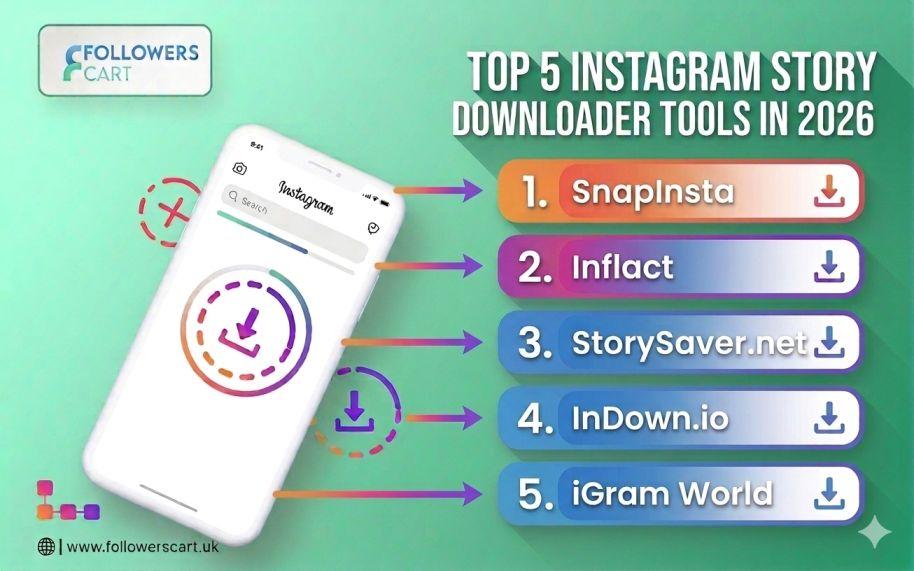
After reviewing the tools currently ranking in Google UK search results (April 2026), here are the five most reliable options:
|
Tool |
No Login |
HD Quality |
Free |
Best For |
|
SnapInsta |
✅ Yes |
✅ HD |
✅ Free |
Mobile-first users, fastest speed |
|
Inflact |
✅ Yes |
✅ HD |
⚡ Freemium |
Marketers, bulk downloads |
|
StorySaver.net |
✅ Yes |
✅ HD |
✅ Free |
Highlights + stories combo |
|
InDown.io |
✅ Yes |
✅ HD |
✅ Free |
Reliability, multi-route parsing |
|
iGram World |
✅ Yes |
✅ HD |
✅ Free |
Carousel + story downloads |
SnapInsta is consistently rated the fastest Instagram story downloader for mobile users in 2026. It handles Stories, Reels, Highlights, and photos — all in original resolution. No login, no registration, no watermarks.
• Copy the Instagram profile URL
• Paste into SnapInsta and press Download
• Choose the story and save to your camera roll in seconds
Inflact is more than a downloader — it's a full Instagram marketing toolkit. Its story downloader module saves Stories anonymously, supports Highlights, and downloads in original quality. The free tier allows up to 3 story downloads per day; premium plans unlock unlimited downloads.
• Free plan: up to 3 stories/day
• Premium: unlimited + captions + hashtag downloads
• Works on all devices in-browser
StorySaver.net stands out because it supports both Instagram Stories and Highlights in one simple interface. No software installation required — just paste the profile URL and download. It's an ideal choice for users who want to save Highlight reels for brand research or inspiration.
InDown.io uses multiple download routes, so if one fails, the tool automatically switches to a backup. This makes it one of the most dependable options when Instagram updates its API or temporarily blocks third-party access. Clean interface, no login, works on desktop and mobile.
iGram World is praised for its clean, ad-free interface — rare among free tools. It also supports carousel downloads (all images/videos in a single Instagram post at once), which most other tools fail to handle. Best for casual users who prioritise a clean browsing experience.
Using any of the tools above follows the same basic workflow:
1. Open Instagram and navigate to the public account whose story you want to save.
2. Copy the profile URL from your browser's address bar or share sheet.
3. Open your chosen downloader tool (e.g. SnapInsta, InDown.io) in a new browser tab.
4. Paste the profile URL into the search box and press the Download or Search button.
5. The tool will display all current stories from that profile. Select the ones you want.
6. Click the Download button. The file saves to your device's gallery or Downloads folder.
|
ℹ️ |
Note: You can only download stories from public Instagram accounts using third-party tools. Private account stories require you to follow the account and be logged in — most free tools cannot access private stories. |
The Instagram story downloading landscape has changed significantly heading into 2026. Here's what's different:
Top tools like SnapInsta and iGram World now preserve 4K-quality uploads during download. Content creators posting high-resolution stories can save them without any quality loss.
Tools like 4K Stogram now include AI-based folder organisation, automatically sorting downloaded stories by account, date, or content type. This is a major time-saver for social media managers handling multiple client accounts.
Meta has continued to tighten restrictions on third-party Instagram access. Some tools that worked in 2024 are now unreliable. Stick to actively maintained tools (SnapInsta, Inflact, InDown.io) that update frequently to stay compatible.
As of 2026, Instagram Reels have overtaken traditional story formats in terms of reach and engagement. Many downloader tools now treat Reels and Stories with equal priority. Make sure your chosen tool supports both.
This is one of the most commonly searched questions. Here's the straightforward answer:
• Downloading stories from public accounts for personal use is generally considered acceptable
• Republishing or commercially reusing someone else's content without permission can infringe copyright law
• The UK's Copyright, Designs and Patents Act 1988 protects original creative works — this includes Instagram Stories
• Always ask for permission before using another creator's content in your own marketing or campaigns
|
✅ |
Best Practice: If you save stories for inspiration or internal research, you're generally in safe territory. If you plan to share, publish, or monetise the content — always get written permission from the original creator. |
Yes. All the tools listed in this guide download stories without notifying the account owner. Your identity remains private throughout the process.
No. The tools listed here work entirely through a web browser without requiring your Instagram username or password. Never enter your Instagram credentials into a third-party downloader — this is a serious security risk.
No. Third-party tools can only access public accounts. Private stories are not accessible without being a follower and logged in on the platform itself.
Common reasons include: the story has already expired (stories disappear after 24 hours), the account was recently made private, or Instagram has temporarily blocked the tool's access. Try an alternative tool like InDown.io, which uses multiple download routes.
The tools listed in this guide are widely used and reviewed by thousands of users. However, always use a reputable ad blocker and avoid clicking any pop-up ads, which are common on free tools. Never enter any personal information beyond a public Instagram username or URL.
Downloading and studying great Instagram Stories is one part of a winning strategy. The other is building an audience that actually sees your content. At FollowersCart UK, we help creators and brands in the UK grow their Instagram presence with real followers, genuine engagement, and fast delivery — no bots and no fake accounts.
• Buy Instagram Followers — Real, organic growth with no password required
• Buy Instagram Likes — Strengthen your engagement signals to the algorithm
• Buy Instagram Views — Boost Reel and Story visibility instantly
|
�� Ready to Grow Your Instagram? Join thousands of UK creators and brands already growing with FollowersCart UK. �� Visit followerscart.uk to explore packages |

Emma Brown
Social Media Growth Strategist
Emma Brown is a social media growth strategist specializing in Instagram marketing for UK creators and small businesses. With 5+ years of experience, she focuses on organic growth, engagement, and audience building. She shares practical insights on Instagram algorithms and content strategy to boost visibility and conversions. She holds a degree in Digital Marketing from the University of Manchester.
Loading related articles...
Related Articles